Make A Chocolate PC & Mobile Controls
PC and mobile input tips so the prompt timer never outruns your tools.
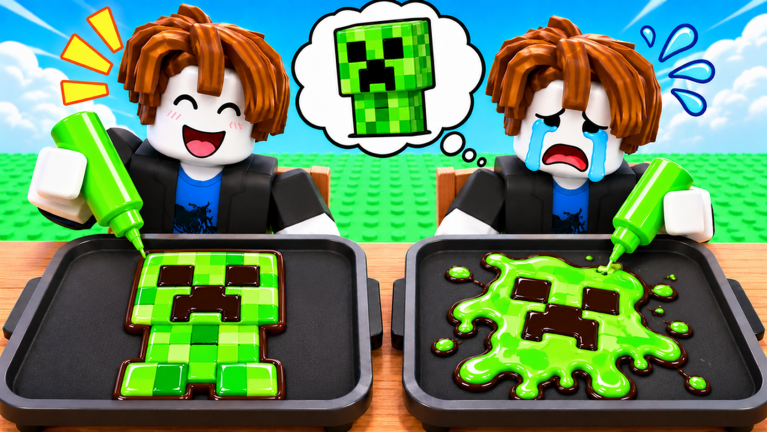
Make A Chocolate is won on the plate, and the plate is won with comfortable controls. Whether you play on PC with a mouse or on mobile with touch, you need the same pipeline: ready up, read the prompt, sculpt or draw chocolate art, submit before time expires, and let the AI return an accuracy percentage. This guide focuses on practical input habits so tool friction never costs you the match.
Pair this page with Getting Started for the full first-session flow and How to Win for scoring strategy. Currency and unlocks are covered in Cosmetics.
Shared control goals on every device
Regardless of platform, optimize for four outcomes:
- Fast prompt acknowledgment — eyes on the text before tools.
- Stable plate aiming — predictable strokes for silhouettes.
- Quick tool switching — move between build, adjust, and cleanup without hunting menus.
- Reliable submit — know exactly which control finishes the round.
If any of those four feels fuzzy, spend a lobby minute identifying the UI widgets before you Ready. Servers can hold up to 24 players; the duel itself still demands calm inputs once the prompt drops.
PC controls and setup
Pointer precision. A responsive mouse matters more than fancy keybinds. Lower excessive DPI if you overshoot edges; raise it slightly if you cannot circle a shape in time. Consistency beats raw speed.
Camera and framing. Position the plate so the whole canvas is visible without constant recentering. If you must zoom, do it during Phase A (block-in), not while carving identity details at the last second.
Click discipline. Prefer deliberate press-and-drag strokes for large masses. Tiny jab clicks create crumbly silhouettes that look noisy to both humans and the AI judge.
Keyboard comfort. Keep your non-mouse hand free for any modifier keys, UI shortcuts, or chat mute toggles your layout uses. Mute distracting chat during ranked-feeling farming sessions so you do not mistap tools.
Display. Play in a resolution where prompt text remains readable. Misreading a prompt is a control problem as much as a strategy problem.
Mobile controls and setup
Touch reach. Hold the device so thumbs can access primary sculpt tools without covering the prompt. If the prompt sits near a tool cluster, read it aloud once before your hands settle into sculpt posture.
Stroke size. Use broader finger motions for silhouettes, then shorter taps for details. Fat-finger errors are the mobile equivalent of PC overshoot—correct them early.
Orientation. Landscape often gives a wider plate view; portrait can help if your device’s safe areas hide UI in landscape. Pick one orientation per session and stick with it so muscle memory stabilizes.
Performance. Close background apps that cause hitching. A mid-stroke freeze can ruin a high-accuracy attempt more than a slightly rough edge would.
Submit caution. Touch UIs sometimes place confirm buttons near edit tools. Practice a deliberate two-step glance: does the plate match the prompt, and am I about to hit submit on purpose?
Ready, match, and post-match inputs
Lobby. Locate the Ready or start affordance before you need it. When peak concurrency spikes, lobbies move quickly—hesitation wastes farming time.
During the duel. Keep a mental map: prompt panel, plate, active tool, undo/clear if available, submit. Glance at the timer on a fixed rhythm (for example after each major shape) instead of staring at it continuously.
After scoring. Note both AI percentages, check money gained, and either requeue or open cosmetics with intention. Avoid rage-mashing Ready while your hands are still tense from a loss.
Tool philosophy that matches the AI judge
Controls exist to serve accuracy. The AI awards a percentage for how well the chocolate art matches the prompt; the higher score wins. That means your inputs should prioritize readable shapes:
- Large strokes first
- Connected masses over speckles
- Clean corrections instead of layering confusion
- A buffered submit rather than a frantic last flick
If a tool feels imprecise, simplify the design. A clear chocolate outline made with basic strokes often beats a complex piece fighting the input method.
Accessibility and comfort tips
- Take micro-breaks between match sets to relax hands and eyes.
- Increase UI scale or device text size if prompt reading is slow.
- Use headphones to catch audio cues if the experience telegraphs timers or Ready states with sound.
- Play seated with supported wrists during long cosmetics farming blocks.
Comfort is a competitive advantage when matches are short but frequent.
Practice routine for control mastery
- Join a low-stakes match and intentionally use only broad silhouette strokes.
- In the next match, allow yourself three detail passes maximum.
- In a third match, force a submit with at least five seconds remaining.
- Review which inputs felt slow and adjust device settings before a serious farming block.
Repeat this circuit whenever you switch between PC and mobile. Cross-play skill transfer is real, but muscle memory is not automatic.
What controls cannot fix
Perfect aiming will not save a misread prompt. Controls also will not protect you from rule breaks: inappropriate artwork may result in a permanent ban. Keep the plate clean and appropriate no matter how precise your strokes are.
Controls likewise cannot replace economy sense. Earn money through matches, then unlock cosmetics deliberately via the plan in Cosmetics. Codes are not a control workaround either—there are no confirmed active promo codes as of November 2026; watch the Codes Hub for future strings.
Quick reference card
- Read prompt before first stroke
- PC: steady drag strokes, readable display, calm submit
- Mobile: thumb reach, broad silhouettes, confirm submit intentionally
- Rehearse tool locations in the lobby
- Buffer the final seconds
- Requeue only when hands and focus are steady
Master these habits and the timer becomes an ally. For strategy after the inputs feel natural, return to How to Win. For the full tutorial list, open the Guides Hub.
Frequently Asked Questions
Quick answers for Make A Chocolate players.
Does Make A Chocolate support both PC and mobile?
Yes. You can play on Roblox PC or mobile. Focus on readable plate strokes and a reliable submit on whichever device you choose.
What should I bind or practice first?
Learn where prompt text, primary sculpt tools, and submit live. Those three matter more than advanced flourishes.
Why do I keep missing details on mobile?
Start with broader silhouette strokes, then add short detail taps. Also check that your grip is not covering the prompt or tool cluster.
Can better controls raise my AI score?
Indirectly yes. Cleaner, faster execution helps you finish a clearer match to the prompt, which the AI scores as accuracy %.
Where do I go after controls feel comfortable?
Study How to Win for scoring strategy and Cosmetics for spending match money.