How to Redeem Make A Chocolate Codes
Step-by-step redemption ready for the first verified promo drop.
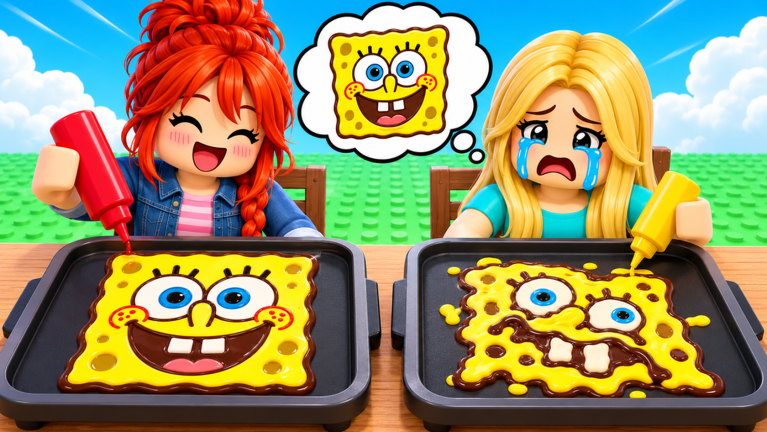
Promo codes are the fastest legitimate bonus in many Roblox experiences—but only when they exist and only when you redeem them correctly. Make A Chocolate currently has no confirmed active codes as of November 2026. This page still matters: it is the playbook you will follow the moment Maybe Chocolate releases a working string, and it stops you from falling for fake generators while you wait.
For the live list (empty until verified), stay on the Codes Hub. For match earnings that already work today, use Getting Started and Cosmetics.
Current status before you hunt the menu
Set expectations first. Community full guides have also reported that there are no codes to redeem right now. If you open the experience and cannot find a codes button, that may simply reflect the empty promo calendar—not a broken install. Keep playing the plate loop: shared prompt, chocolate art, AI accuracy percentage, higher score wins, money for cosmetics.
When a code is announced, return here and run the checklist below without skipping steps.
Step-by-step redemption (when codes are live)
Step 1 — Join the official experience. Launch Make A Chocolate from the real Maybe Chocolate place on Roblox. Copies and fan recreations will not honor official promos.
Step 2 — Finish loading into a stable server. Wait until UI chrome is interactable. Servers support up to 24 players; a busy lobby is fine as long as menus respond.
Step 3 — Open the codes or shop gifts panel. Look for buttons labeled Codes, Rewards, Gifts, Twitter/X, or a ticket icon—common patterns on Roblox party games. Exact labeling can change after updates, so check newly added HUD buttons after patches listed on Updates.
Step 4 — Enter the string exactly. Copy from the Codes Hub when possible. Watch for capital letters, numbers versus letters (0 vs O, 1 vs l), and hidden spaces. Do not add extra punctuation.
Step 5 — Confirm and wait for feedback. A success toast, grant popup, or currency bump should appear. If the UI says invalid or expired, stop retrying blindly—verify the hub status instead.
Step 6 — Check inventory and currency. Open cosmetics or money displays to confirm the reward landed. Then screenshot or note what you received so you can compare if a second code is stacked later.
Step 7 — Return to matches. Codes are a bonus. Your long-term cosmetics progress still comes from winning AI-judged plates. Jump back into a duel using habits from How to Win.
Troubleshooting failed redemptions
Invalid code. The string may be mistyped, expired, or never real. Recopy from the hub. Avoid random lists on social media.
Already redeemed. Most Roblox promos are one redeem per account. Alts may or may not be allowed—follow the game’s rules and Roblox Terms.
No codes button. The feature might be gated, renamed, or not shipped yet. Recheck after an update rather than installing third-party “fixers.”
Reward missing. Rejoin the experience once, then recheck currency. If still missing, gather a timestamp and contact official support channels—not random Discord users offering to “recover” items.
Laggy UI. On mobile or low-end PC, wait a few seconds after tapping redeem. Double taps can look like failures when the first request is still processing.
Platform tips (PC and mobile)
On PC, paste carefully into the text field and confirm with a clear click. Make sure chat is not stealing keystrokes if a slash command mode is open.
On mobile, rotate if the keyboard covers the redeem button, and proofread before hitting submit. Autocorrect is a common way to break a code string—disable it for that field if needed.
Comfortable general inputs are covered in Controls; redemption is just another UI skill on top of plate work.
What good codes pages never ask you to do
- Log in on a non-Roblox website with your password
- Download an
.exeor APK “redeem tool” - Enable a script executor to claim cosmetics
- Send payment for a private code list
- Create inappropriate plate art as a “secret unlock” (that risks a permanent ban)
If any of those appear in a tutorial, leave. This wiki’s Scripts stance stays cautious, and there are no verified public scripts we endorse for this exact game.
How codes fit the Make A Chocolate economy
Even generous promos rarely replace skilled play. The core loop—prompt, chocolate art on a plate, AI accuracy score, winner takes the edge in money—remains the engine for cosmetics. Treat a successful redeem like a coupon: nice when it works, irrelevant to whether you can read a prompt and sculpt a clear silhouette.
After redeeming, decide whether the reward changes your spending plan. If you received currency, revisit the buffer-and-signature-purchase advice in Cosmetics before impulse buying.
Preparing a personal redeem kit
Keep a short note on your phone:
- Link to this wiki’s Codes Hub
- Reminder that the active list may be empty
- Steps 1–7 above in abbreviated form
- A warning not to trust DMs in crowded lobbies
When a creator posts a code during a milestone stream, you will redeem in under a minute instead of searching panicked guides.
After the first real code drops
We will update the hub table with the string, reward, and status. This redemption article will gain any UI-specific screenshots or renamed button labels once they are stable. Until that day, the correct player move is simple: practice matches, protect your account from inappropriate-art bans, and ignore fake generators.
For more tutorials, browse the Guides Hub. For beginner orientation—including a real full-guide video—see Getting Started. Come back to this page whenever a verified Make A Chocolate code finally needs claiming.
Frequently Asked Questions
Quick answers for Make A Chocolate players.
Can I redeem codes in Make A Chocolate today?
There are no confirmed active promo codes as of November 2026. Use these steps when the Codes Hub lists a verified string.
Where is the codes button?
Look for Codes, Rewards, Gifts, or similar HUD labels after you join the official experience. Labels can change with updates.
What if the game says the code is invalid?
Check spelling, expiry status on the hub, and whether you already redeemed it. Do not trust random third-party lists.
Do I need scripts to redeem?
No. Only use the in-experience redeem UI. Avoid executors and fake redeem sites.
Should I stop playing matches until codes exist?
No. Match money and cosmetics progression work now. Codes are optional bonuses when they appear.